Scheme拉起Andorid App一共只需要2步:
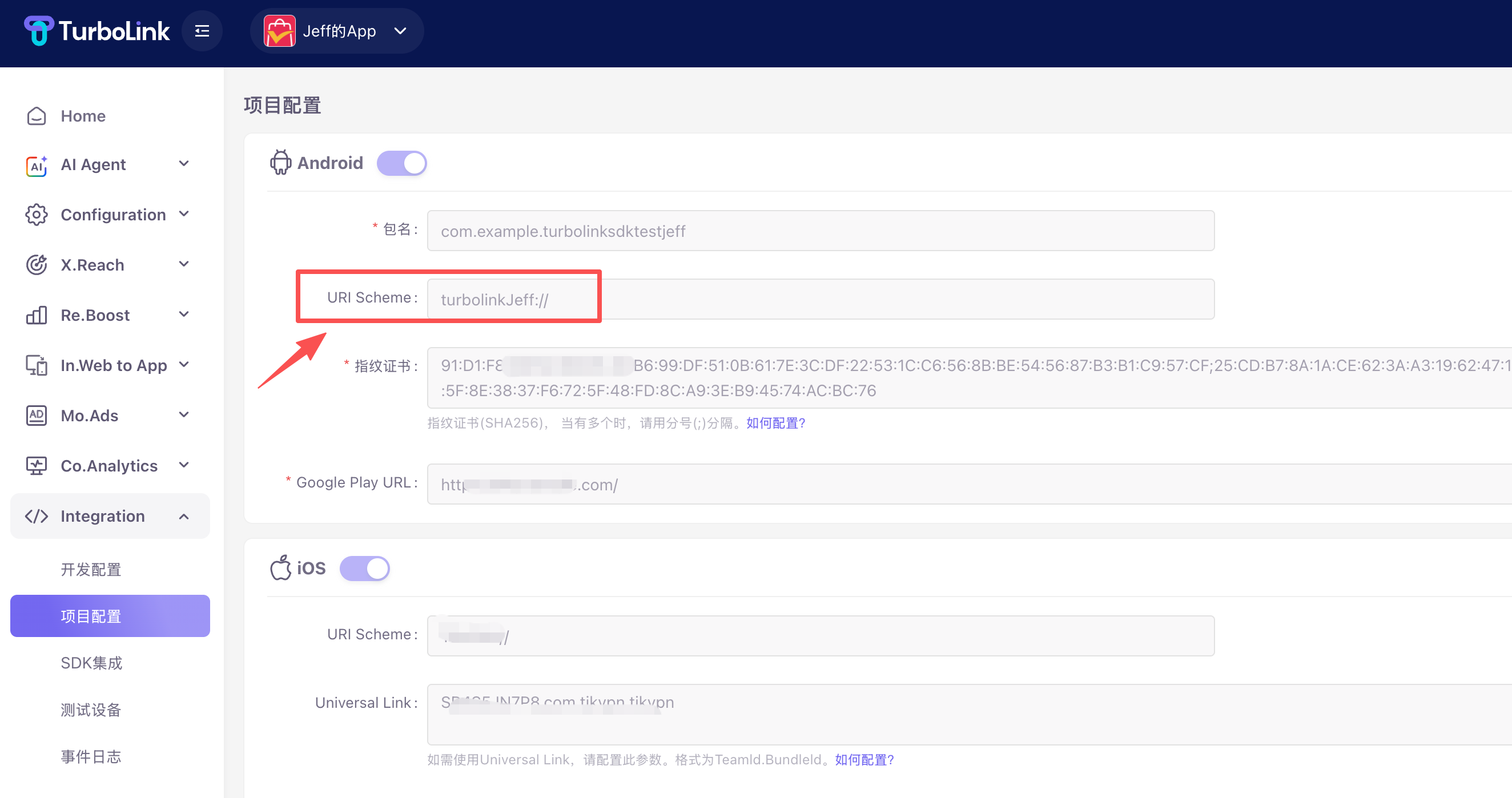
- TurboLink Dashboard配置URI Scheme。
- 配置Android应用的 AndroidManifest.xml文件
配置URI Scheme
配置 AndroidManifest.xml
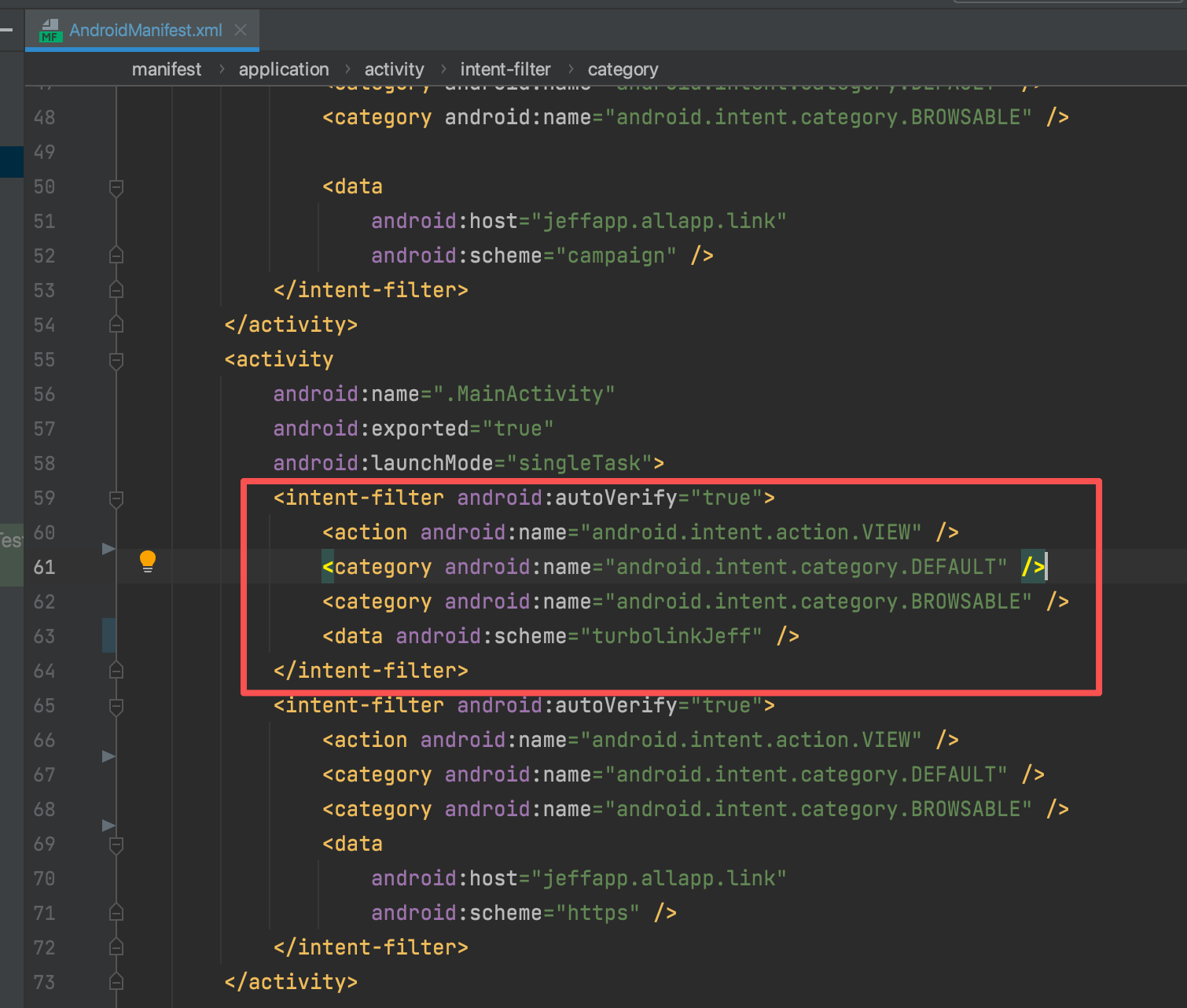
参考配置 Intent
<activity
    android:name=".MainActivity"
    android:exported="true"
    android:launchMode="singleTask">
    <intent-filter android:autoVerify="true">
        <action android:name="android.intent.action.VIEW" />
        <category android:name="android.intent.category.DEFAULT" />
        <category android:name="android.intent.category.BROWSABLE" />
        <data android:scheme="turbolinkJeff" />
    </intent-filter>
    <intent-filter android:autoVerify="true">
        <action android:name="android.intent.action.VIEW" />
        <category android:name="android.intent.category.DEFAULT" />
        <category android:name="android.intent.category.BROWSABLE" />
        <data
            android:host="jeffapp.allapp.link"
            android:scheme="https" />
    </intent-filter>
</activity>